
Your Reps Are Spending 20 Minutes Per Call Writing Notes Instead of Selling
Every SDR and AE on your HubSpot team faces the same friction: the call ends, and then comes the real work. Type the summary, pick a disposition, create a follow-up task, and paste in the recording link. That is 15 to 20 minutes of admin per conversation that does not move any deal forward. Multiply that across a full call block and your team is spending hours each week on data entry instead of pipeline. Worse, rushed notes are inaccurate notes, and inaccurate notes mean your managers are coaching on bad data. TwinsAI eliminates that cycle entirely by writing the notes for your reps the moment the call ends, directly inside HubSpot.
AI-Written Call Summaries Saved to HubSpot as Native Call Engagements
Every call TwinsAI handles is written back to HubSpot as a native Call engagement, not a note, not a task, and not a third-party log. The engagement includes the call disposition, a link to the recording, and a structured AI-written summary that captures key topics, buyer objections, next steps, and outcome. Because it is a native HubSpot Call engagement, it appears on the contact timeline and deal record exactly where your team expects to find it. No custom objects, no workarounds. For the full picture, see our HubSpot call logging automation guide. Related: HubSpot Call Recording and Transcription, HubSpot Click to Call, Book Meetings From HubSpot Calls Automatically Related: AI Notetaker that Finishes the Work Before Your Next Call
AI Summary Quality That Managers Actually Trust
Generic transcription tools produce walls of text that nobody reads. TwinsAI structures every summary around what revenue teams actually need: the reason for the call, what the prospect said, what pain was surfaced, objections raised, agreed next steps, and the rep's disposition. Summaries are concise, skimmable, and consistent across every rep on your team. Managers can open any deal and immediately understand where it stands without listening to a recording. That consistency also means cleaner coaching data and more reliable forecasting.
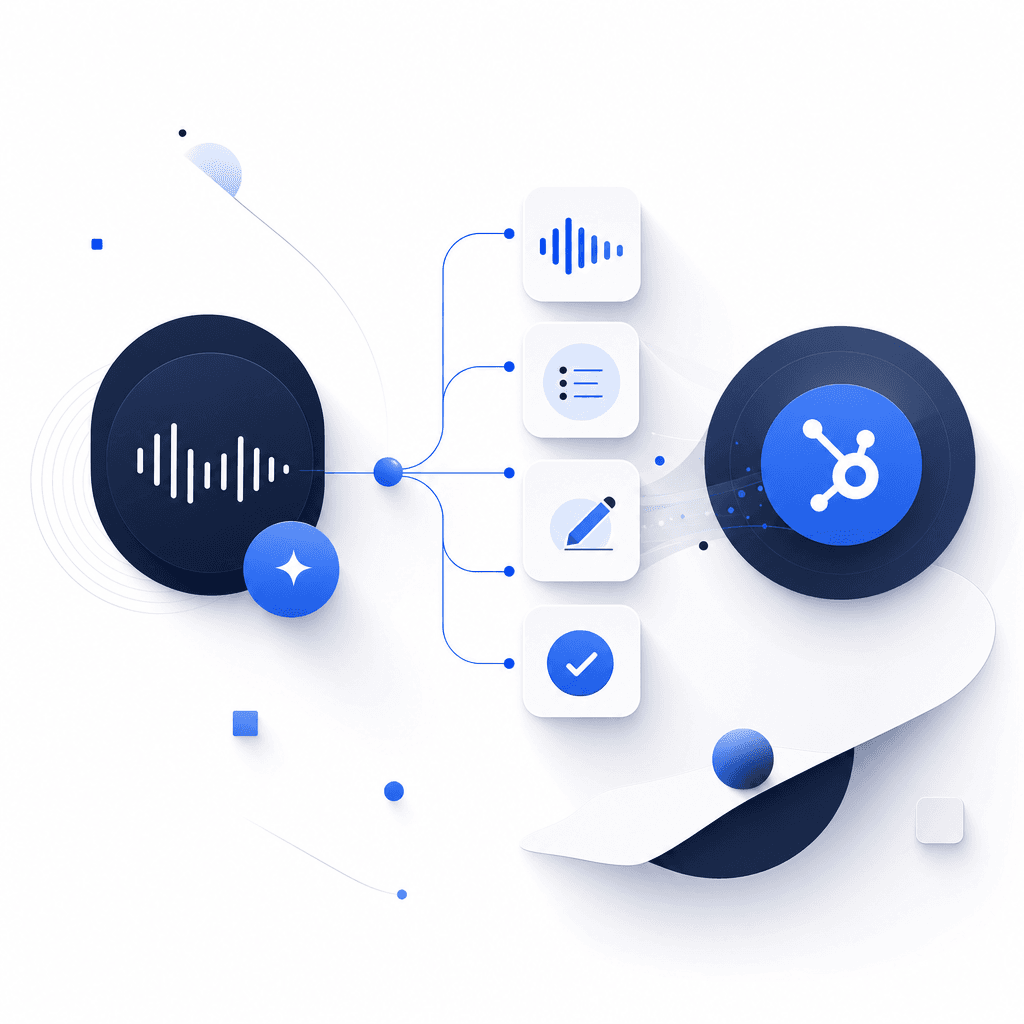
Auto-Assigned Follow-Up Tasks So Nothing Falls Through the Cracks
Alongside the call summary, TwinsAI automatically creates a follow-up Task in HubSpot and assigns it to the rep. Call outcomes can also trigger HubSpot Workflows and enroll contacts into Sequences automatically, so your post-call follow-up motion starts without a single manual click. Reps move directly to the next dial. Learn more about parallel dialing for HubSpot.

One-Click Install from the HubSpot App Marketplace
TwinsAI installs via one-click OAuth from the HubSpot App Marketplace and is live in about a minute. There is no engineering work, no CSV imports, and no manual field mapping required. Two-way sync keeps your contacts, deals, and custom properties in lock-step in real time, so the data in TwinsAI always matches what is in HubSpot. See the full HubSpot integration.
AI Voice Agents and Parallel Dialing Built Into the Same Platform
TwinsAI is not only a note-taker. The same platform that writes your call notes also powers up to 32 concurrent parallel-dial lines against any HubSpot Dynamic or Static List, with ringless voicemail drop and automatic DNC and duplicate scrubbing. AI voice agents can hold live conversations and book meetings straight into your pipeline. That means more connected conversations, and more of them documented accurately. Explore the full AI dialer for HubSpot capability and see how AI SDR workflows fit your team.

HubSpot Calling Software That Replaces Your Manual Call Workflow
TwinsAI replaces the entire manual post-call workflow: no note-typing, no disposition hunting, no copy-pasting recording URLs. Every piece of call data lands in HubSpot automatically, structured and searchable. If you are evaluating HubSpot calling software more broadly, see our overview.
Frequently asked questions
How can I get AI-generated call notes saved to HubSpot automatically?+
Install TwinsAI from the HubSpot App Marketplace in about a minute using one-click OAuth. Once connected, TwinsAI listens to every call made through the platform and writes an AI-generated summary directly to HubSpot as a native Call engagement on the contact and deal record. The engagement includes the disposition, the recording URL, the structured AI summary, and an auto-assigned follow-up Task. No manual note-taking and no copy-pasting required.
Are TwinsAI call notes native HubSpot Call engagements or just notes?+
They are native HubSpot Call engagements, not generic notes or custom objects. This means the call record, disposition, recording link, and AI-written summary all appear on the contact timeline and deal record inside HubSpot exactly as they would if a rep had manually logged a call. The distinction matters because native engagements trigger HubSpot Workflows, count in activity reporting, and appear in Sequence enrollment logic.
How accurate are the AI call summaries TwinsAI writes?+
TwinsAI structures each summary around the information revenue teams actually use: reason for the call, prospect pain points, objections, agreed next steps, and the call outcome. Summaries are consistent across every rep, which means managers can rely on them for coaching and forecasting without needing to listen to recordings. Accuracy improves further when TwinsAI AI voice agents are handling the conversation, because the AI has a complete record of the exchange from start to finish.
Will TwinsAI call notes trigger my HubSpot Workflows and Sequences?+
Yes. Because TwinsAI writes a native Call engagement with a disposition, that engagement can trigger any HubSpot Workflow you have set up based on call outcomes. Contacts can also be enrolled into Sequences automatically based on the result, so your follow-up motion starts the moment the call ends with no manual steps.
Does TwinsAI sync custom HubSpot properties, not just standard fields?+
Yes. TwinsAI uses a two-way real-time sync that keeps contacts, deals, and custom properties in lock-step between TwinsAI and HubSpot. If your team has custom fields that matter to your sales process, they stay current in both systems automatically.
Stop Typing Notes. Start Selling. TwinsAI writes every call into HubSpot for you.
See how TwinsAI AI call notes work for HubSpot sales teams. Book a short demo and we will show you the exact engagement your reps will see in HubSpot after the first call.